How to Create an Instagram Business Page?
We all know that showing up online in 2026 is more important than ever! Which is why I want to help guide you through the simple steps of creating some social media profile pages that will make sure that you are indeed online for your clients. If you missed it last week, we talked about how to create a business Facebook profile. This week we are going to be discussing how to create a Instagram Business/Creator account profile.
But first let’s talk a little stats about Instagram. Instagram was created by Kevin Systrom and Mike Krieger and was originally an app known as “Burbn”. They decided they wanted to rename and re-adjust the app to be called Instagram, in 2010. It evolved from being a simple photo sharing app to an app that you could post “stories” and “reels” and grew in popularity quickly. Instagram hit 1 million users in 2 months, and in 2012 it was acquired by Facebook for $1 billion, making it a part of what is now known as Meta (as of 2021).
Today there are over 3 billion plus active users on the Instagram app, making it one of the most popular social media platforms globally, with most of it’s users being in the United States, India, and Brazil. Like Facebook, that is a extremely large amount of people who use the platform. That also means that your ideal audience is more than likely on or using that platform at some point in time, and likely using it on a fairly regular basis. Which is why it is so incredibly important to be on the platform, even if you are just showing up only a few times a week.
If you aren’t sure how to go about creating a business specific Instagram account, then you need to read the rest of this blog and go create an account as soon as you can. You’re missing out on so many ideal clients otherwise.
Instagram Setup
-
Instagram Setup -
Start here:
1. You are going to want to head to instagram.com and login to an existing account or create a new account. As with Facebook I highly recommend creating a brand new account and starting fresh. You can always go follow your friends and family from your business account later on. You will need to put in a phone number, email address, and your name (first and last) to get started.
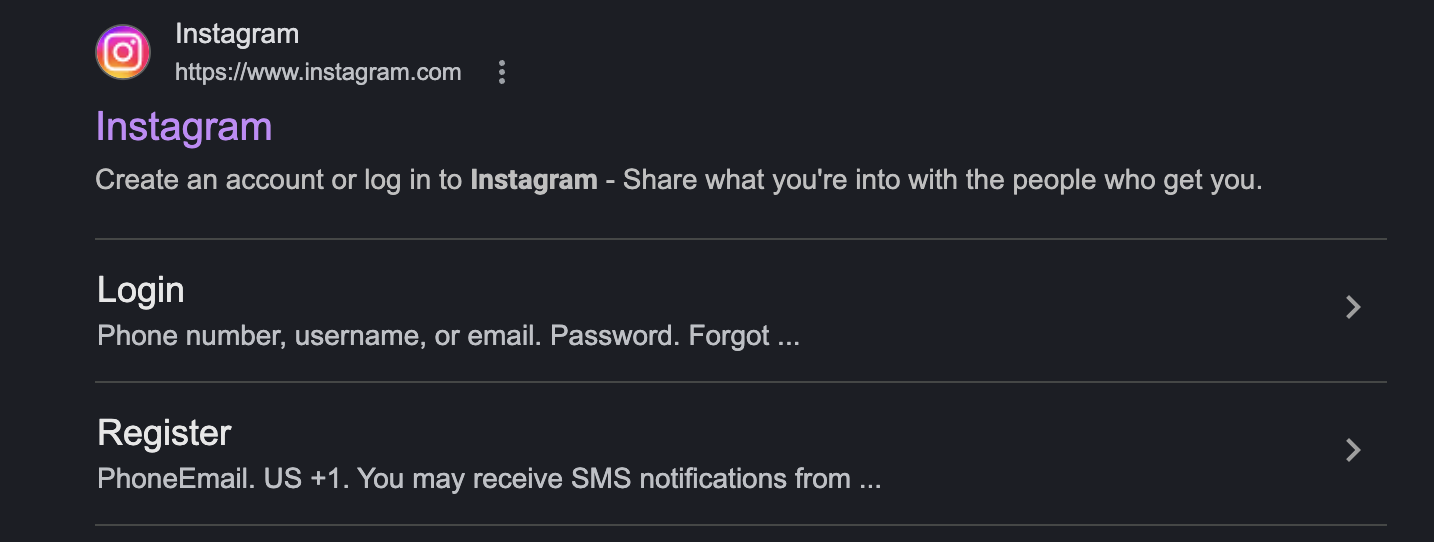
Go here to sign up:
instagram.com
2. From there you will be able to add a Bio, a profile photo and add links and emojis to your profile as well.
3. On Instagram it is important to note that there are three different account types. There is a personal accounts, which most people typically have set to a private account (meaning that you have to request to follow that person and they have to accept you as a follower). There is a business accounts, best for businesses who need public accounts to show up in their community. And there are creator accounts, which most people also keep public.
Personal Private accounts are typically accounts that are for those who just want to have a way to stay connected to friends. Business accounts are typically best for local businesses who are trying to stay active and present for their clients on socials. And creator accounts are typically for influencers, public figures, or artists. You can decide which one best fits your needs. But my recommendation for small business owners is to have a “business” or “creator” account. Using a business or creator account types allows you to carefully track your profile analytics (views, likes, saves et cetera), create ads, and use scheduling tools to post your content.
Below is the steps to switching your Instagram account to a different account type. I personally prefer the creator account which is what my account is set to. But you can switch it between personal, business, and creator account at any time. Simply go to the three lines at the top of your profile and then click on the “Creator Tools and Controls” tab under the “For professionals” header. Then scroll and click on the “switch account type” and pick your preferred account type.
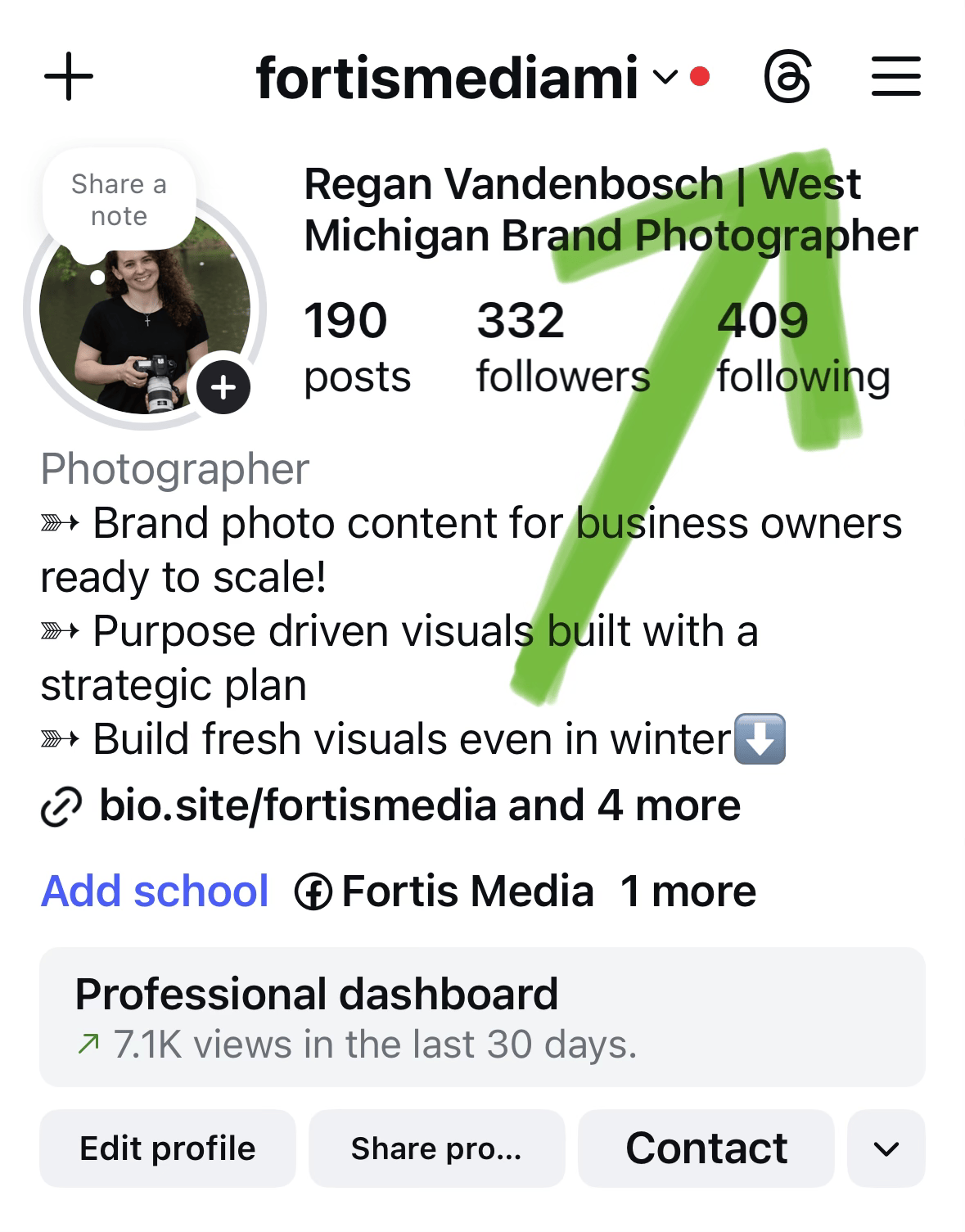
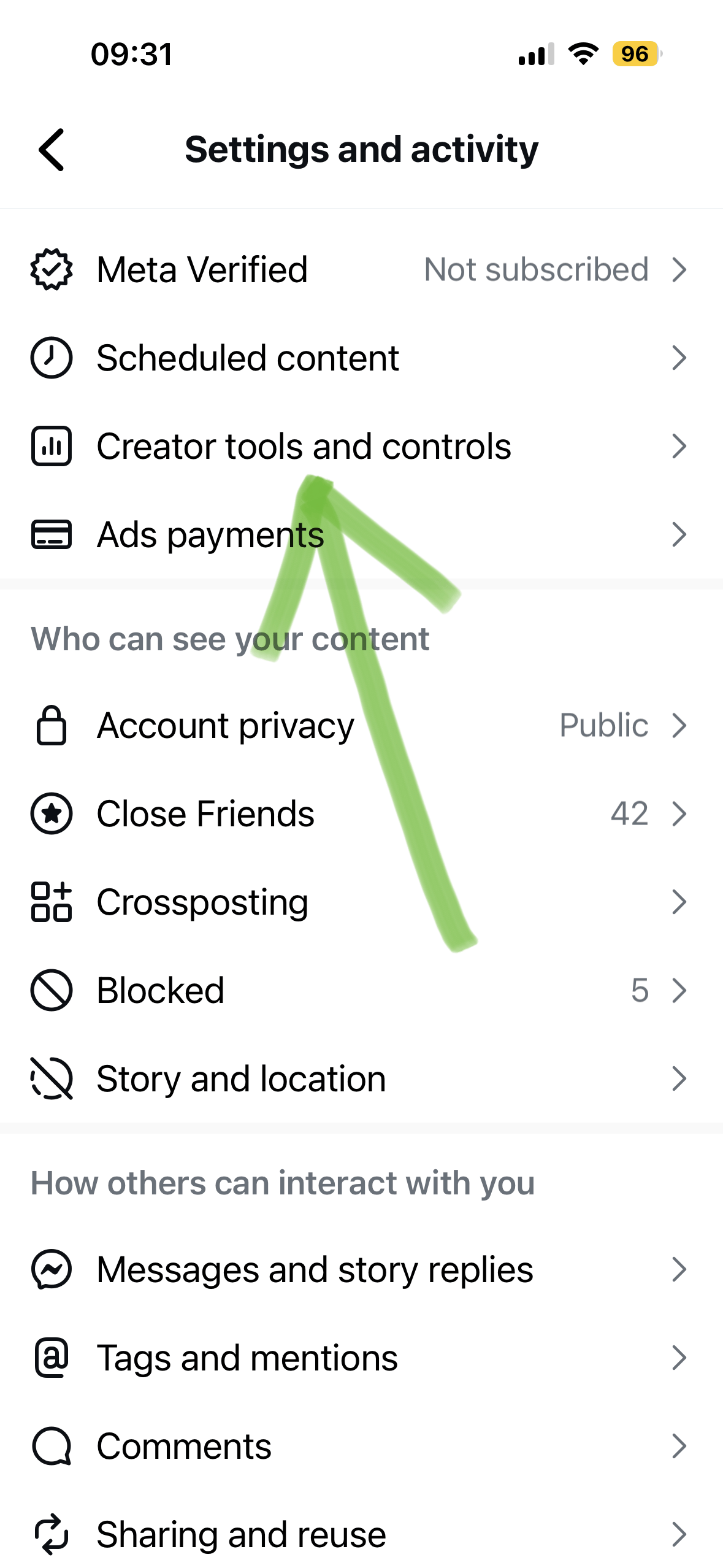
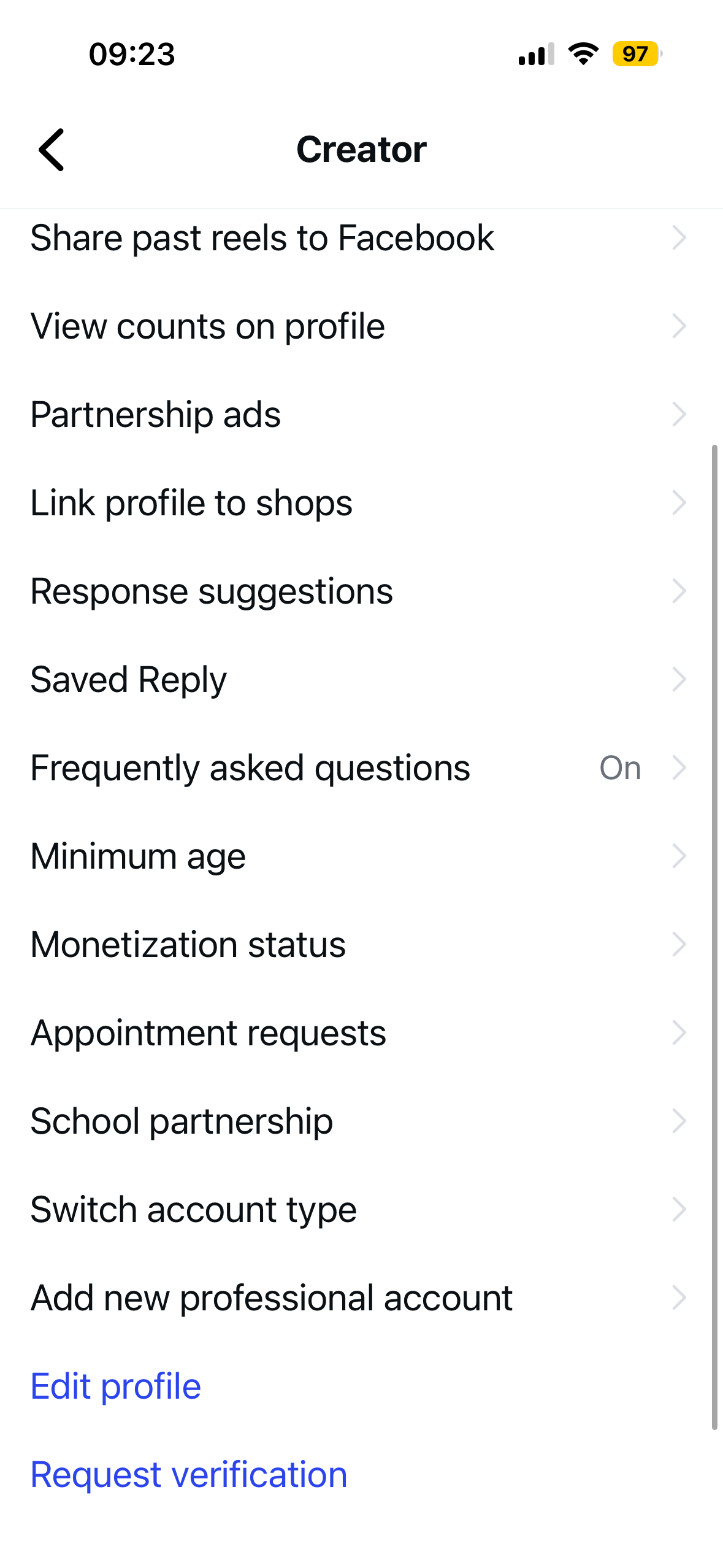
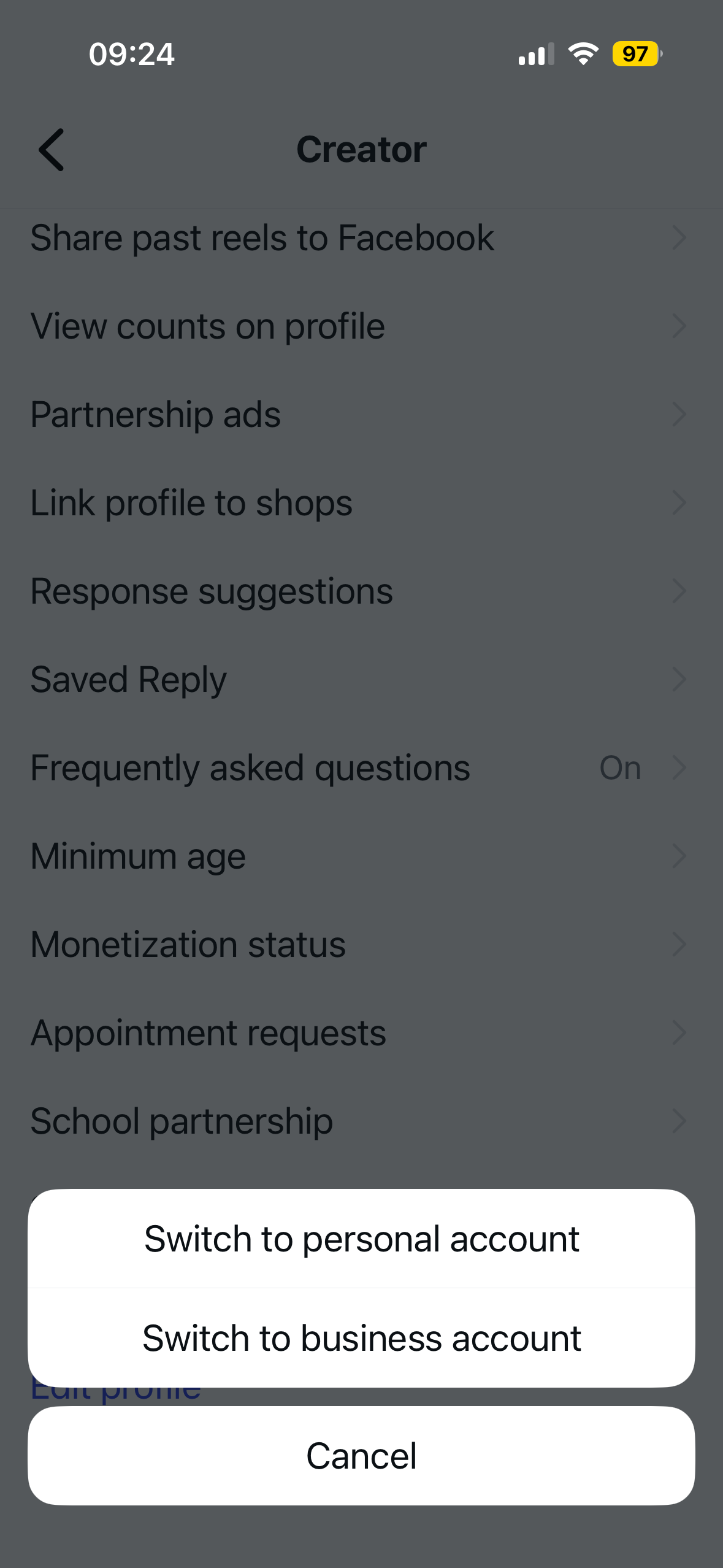
It’s important to note that if you are in a personal private account (meaning that you have to accept followers before they can see your content) and want to switch to a business or creator account, you absolutely can do so. But your account will be forced to turn to a public profile.
4. Once you have your preferred account type set up you will be able to add a profile photo (like a nice headshot that we capture together 😉) as well as a bio and any links like your website. Then you can also start posting your content and engaging your audience.
Here are some other tips and tricks for getting started on Instagram:
I recommend posting at the very minimum, 3 times a week so that Instagram sees your posting regularly and so that it starts pushing your content to your audience.
Remember to engage with your audience if they comment on your content.
Post a variety of content. If you stick to the 3 times a week guide, then do one video (reel) type post a week, one static post (a post of just word content + an image if you want), and then a post with multiple images and text content. This is what I tell my people in my Business Photo Membership! Creating a variety of content helps to engage your audience who have different content consumption preferences, and allows you to reach different audience demographics without feeling burnt out from posting so much. This way you are simply making sure that your audience knows that you are around still.
BONUS INSTAGRAM SPECIFIC HOT TIP #1:
On Instagram you can pin 3 posts to the top of your profile! My recommendations are to make three posts structured like so:
1. Your Introduction - Who you are, a brief look at what you do, why you do it, who you serve, and how you serve your clients.
2. Your Process - What do you do specifically. What are you main offers, what is the starting cost of those offers, and how do you go about delivering those offers to your clients.
3. Your Proof - Post a recent review from a client. This helps build social proof that you actually know what you are doing!
BONUS INSTAGRAM SPECIFIC HOT TIP #2:
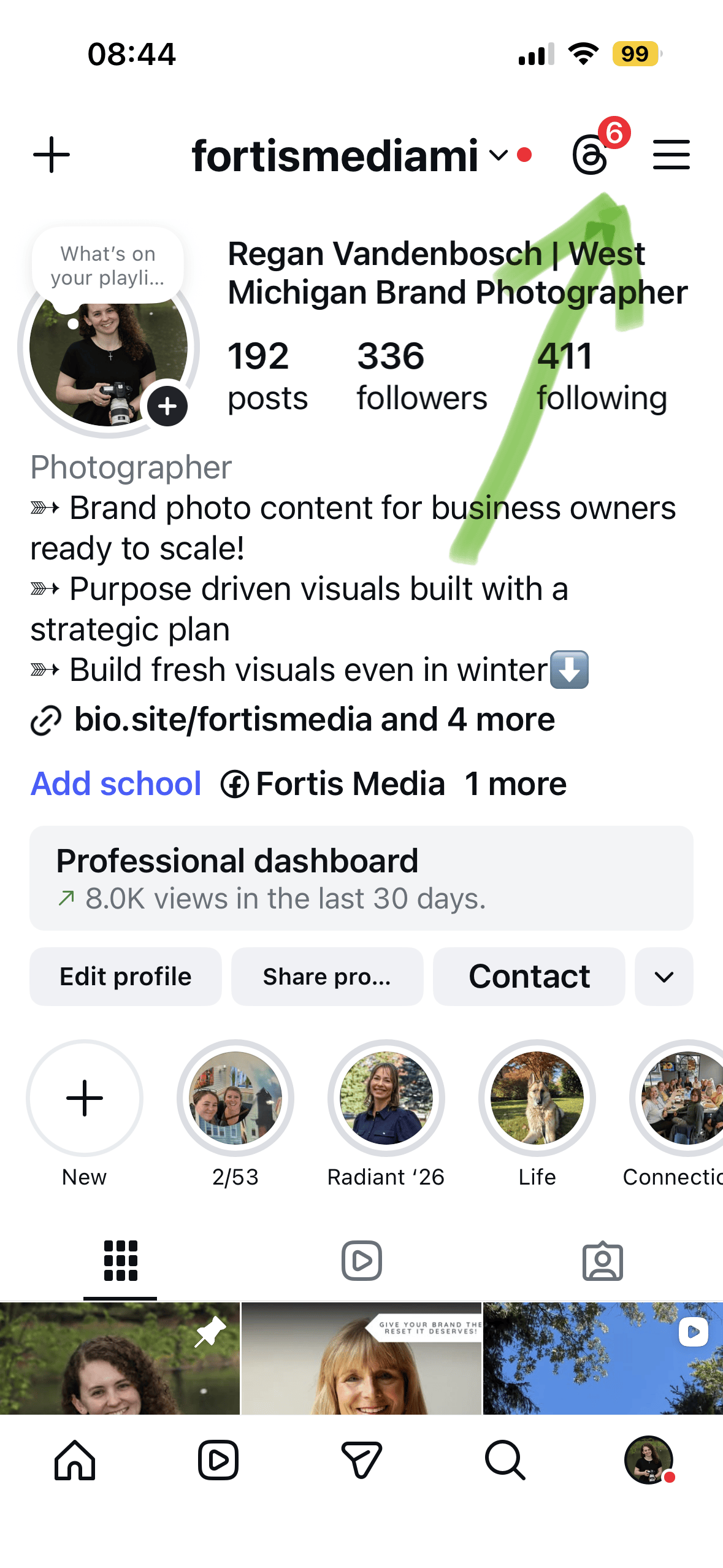
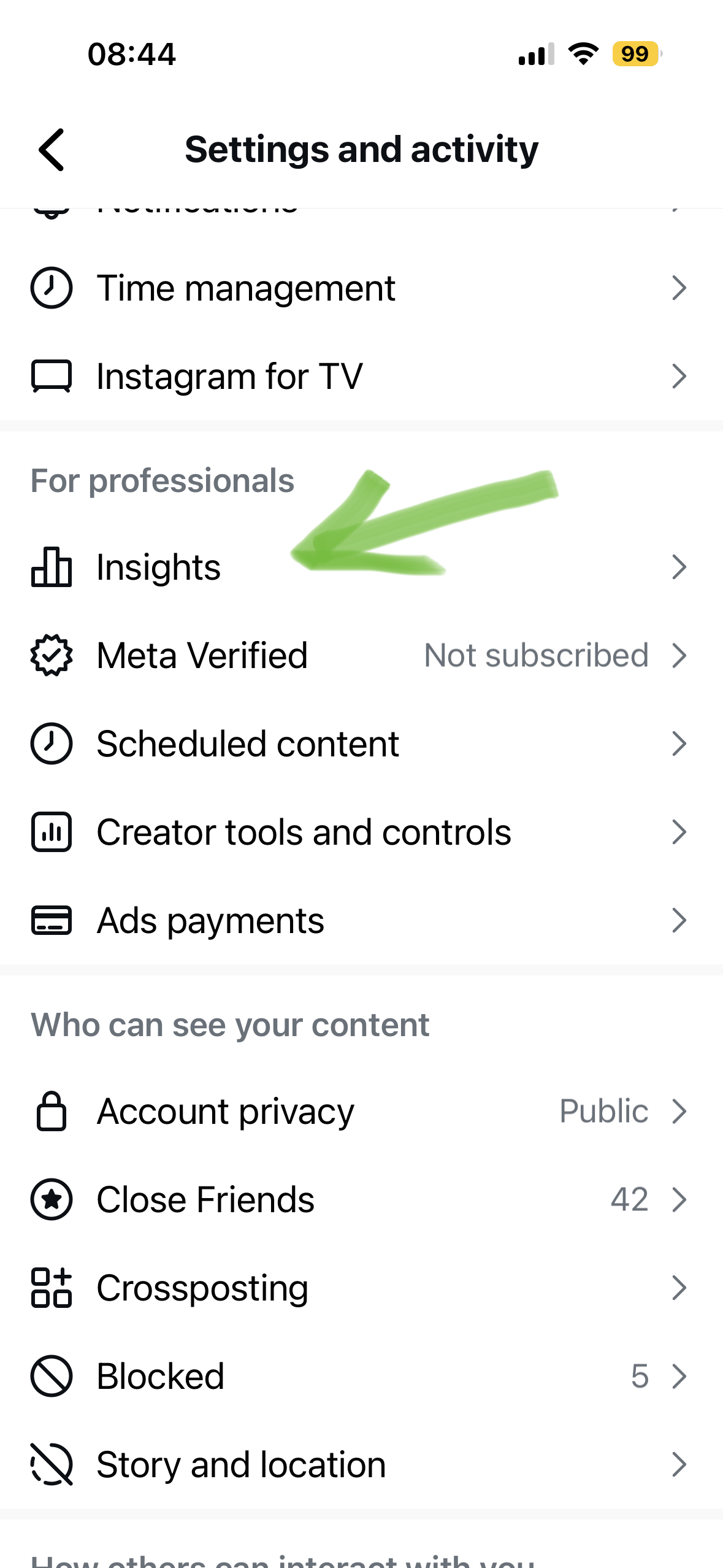
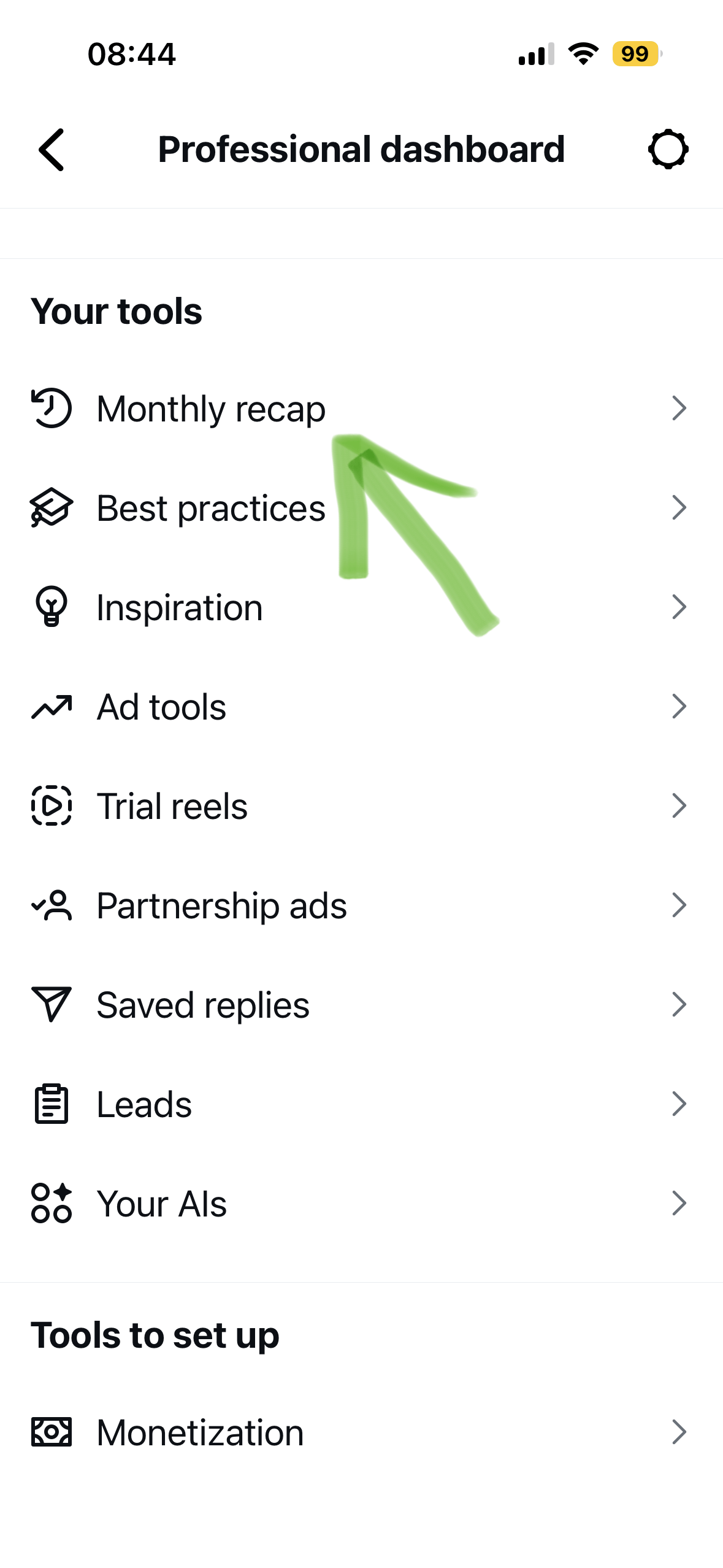
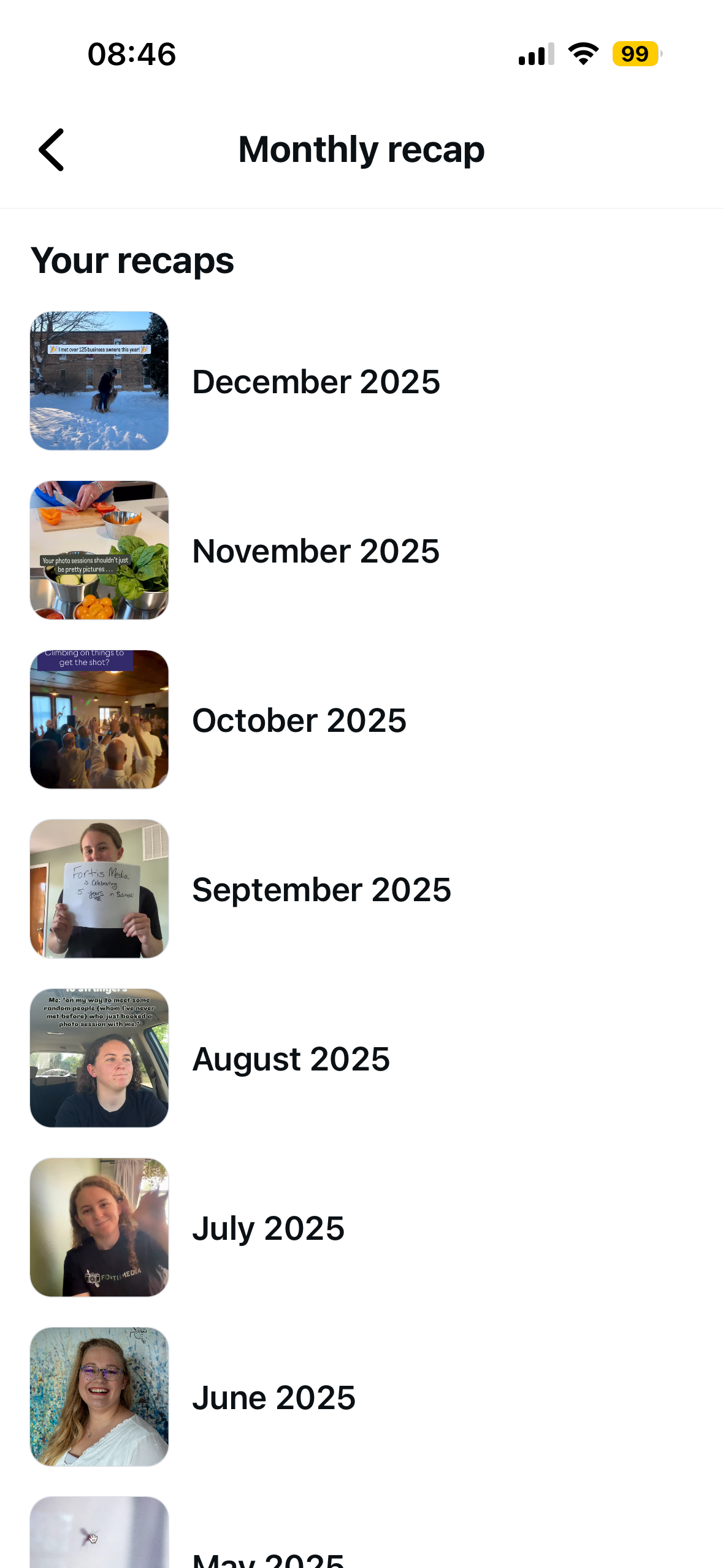
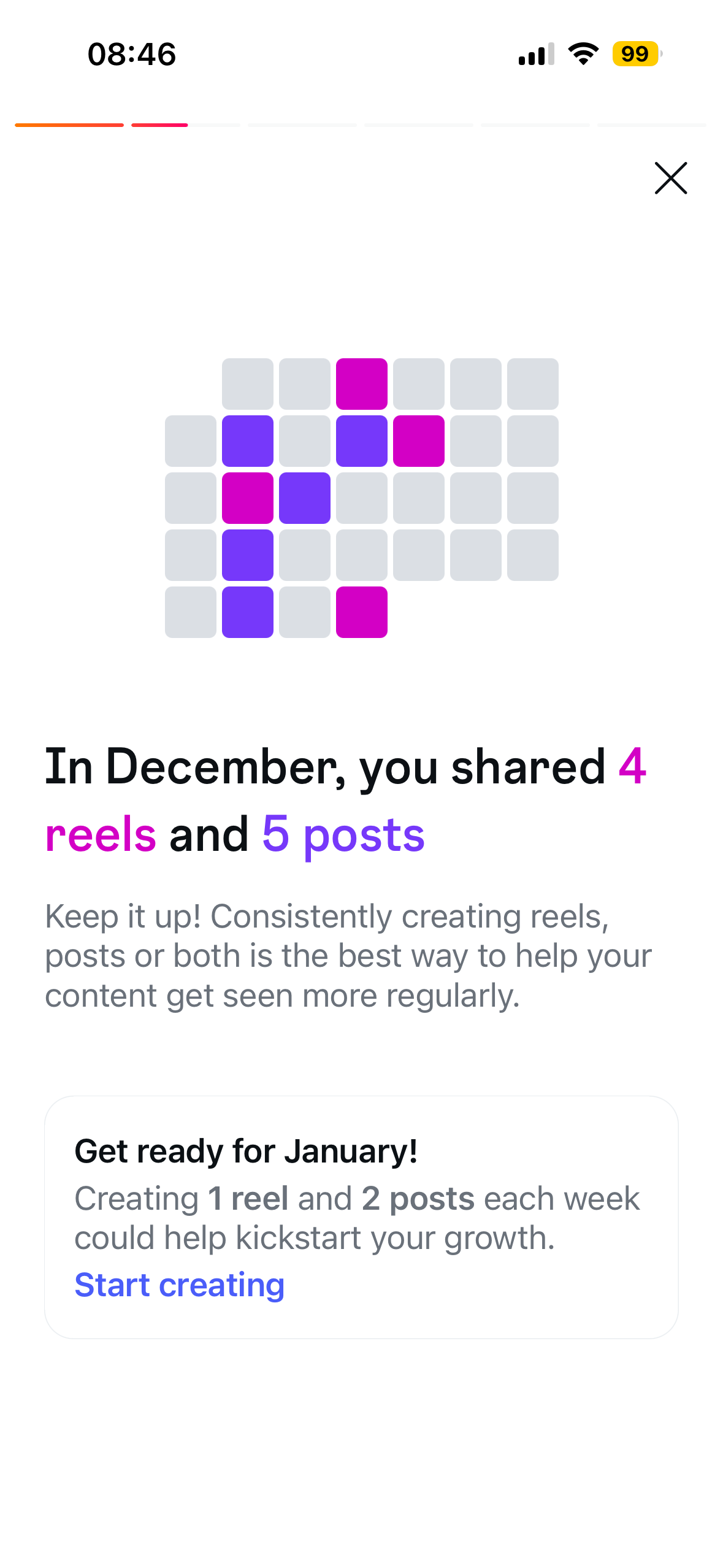
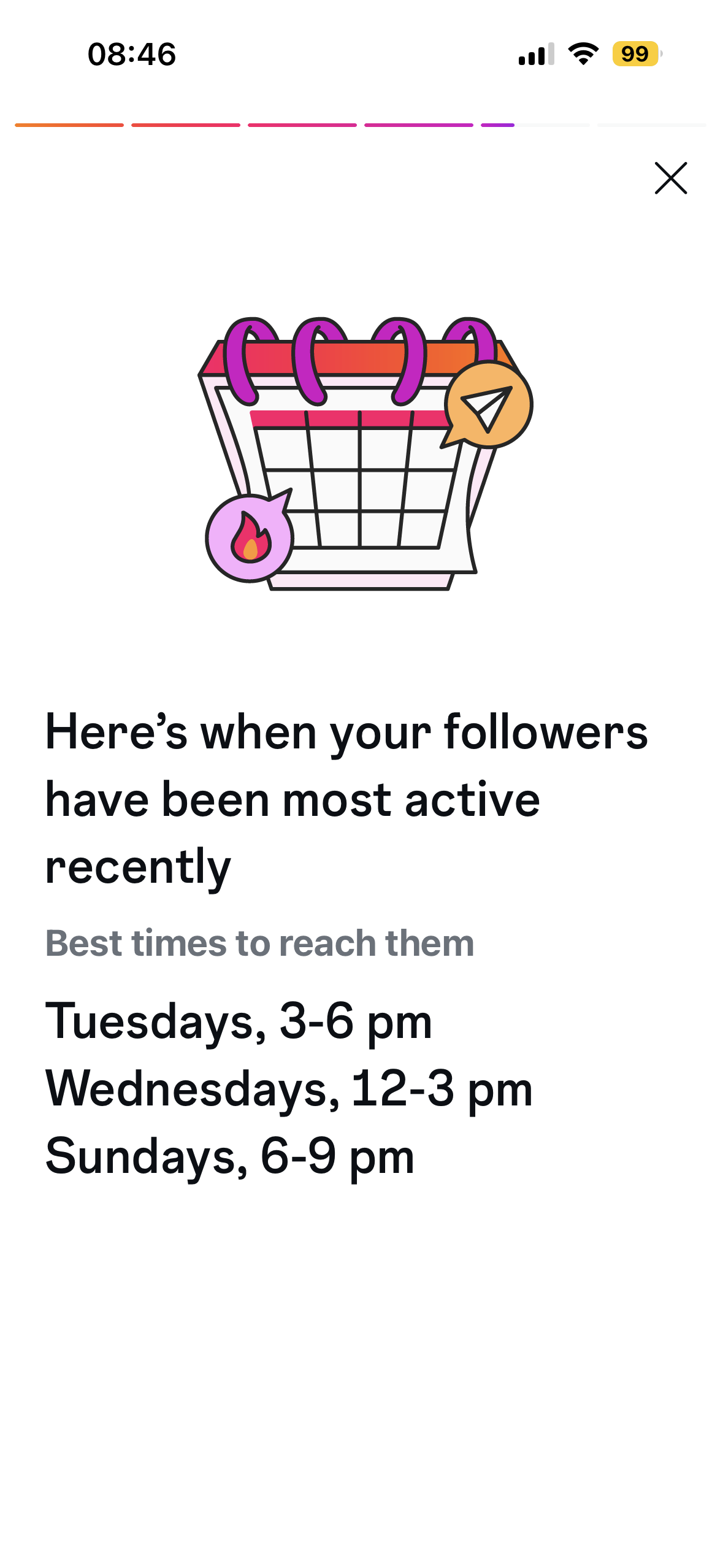
This, in my opinion, might just be one of the best unknown Instagram hacks out there! If you go back to those 3 lines at the top of your Instagram profile, and scroll down to the “For Professionals” header and click on “Insights”, then click on “Monthly Recap” and then any of those recap months options you will be able to see a some statistics about how you many views you had that month, how many likes, and saves, and when you posted specific types of content. My favorite part though is that it tells you when your audience (your followers) are most active, so that you can schedule content to be posted at that time. This is a fairly new feature on Instagram as of late 2025 and early 2026. But it’s a very helpful tool for those that are wanting to track how they are doing on Instagram.
In Summary . . .
Showing up online in 2026 means being present where your clients already are, and Instagram is one of the most powerful places to do that. This post walks you through why Instagram matters for small business owners and how to set up a Business or Creator account that helps you stay visible, track analytics, and connect with your ideal audience. You will also learn simple posting strategies and profile tips that make your account work harder for your business, not add more overwhelm.
To help decrease the overwhelm we wanted to also share a quick link to our 2026 Calendar available for free to download, so that you can start planning your Instagram content ahead of time.
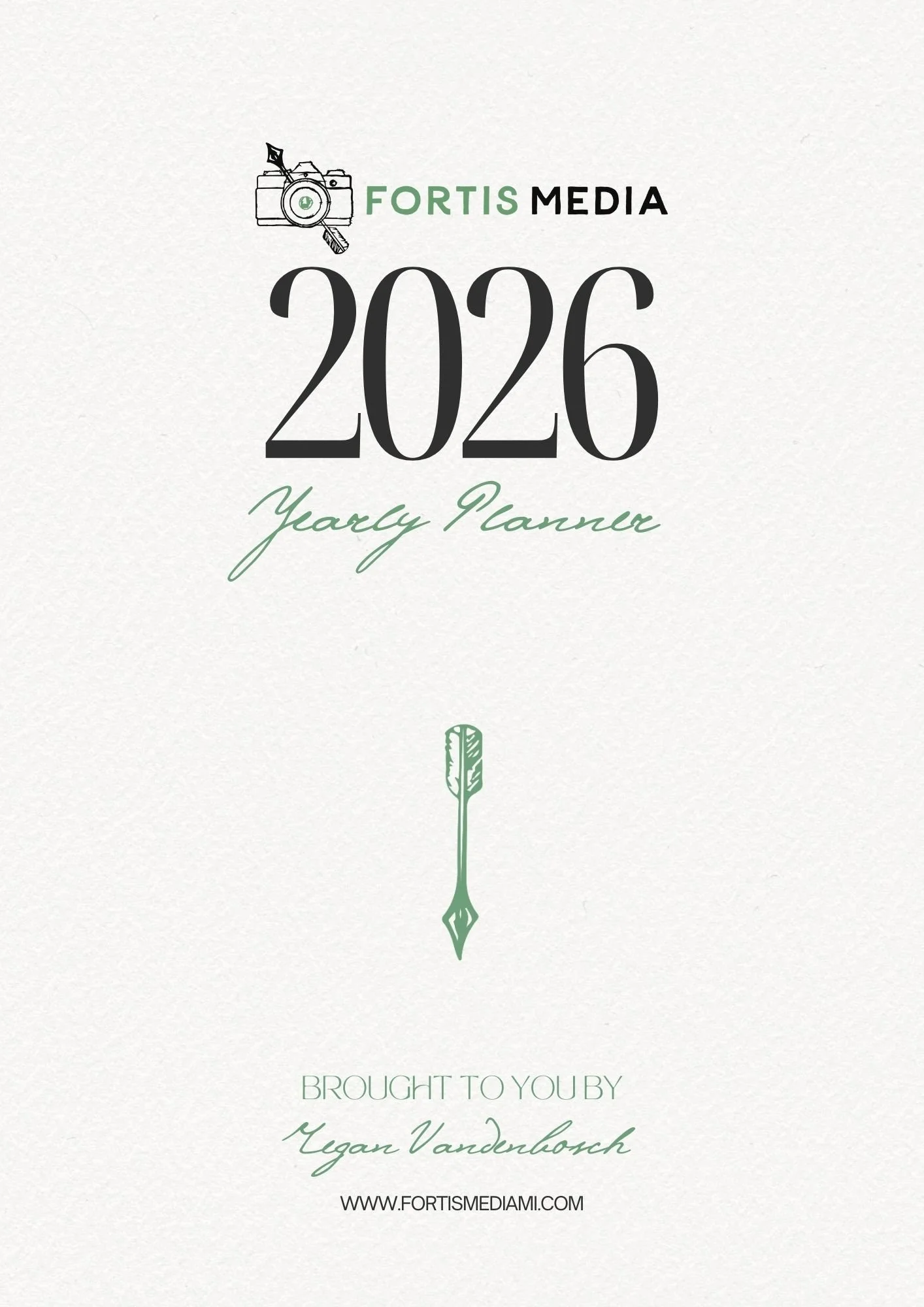
Enjoy this free downloadable 2026 Calendar! This 30 page Canva Planner is great for the entrepreneur who wants to stay on top of their game in 2026!
Includes:
Simple Goal Planning Sheet
Yearly Overlook Calendar
Monthly Calendar pages for all 12 months
Notes & Tasks Pages for each month
Priorities sections for each month
Check out the Product Images for a sneak peak!
join the email newsletter to get these posts delivered straight to your inbox every week