How do I Create a Facebook Business Page?
We all know that showing up online in 2026 is more important than ever! Which is why I want to help guide you through the simple steps of creating some social media profile pages that will make sure that you are indeed online for your clients. The first one, and honestly this is actually one of my favorites (might be my all time favorite), is your business Facebook page.
Facebook has been around for over 20 years, and was originally launched as “thefacebook.com” back in February of 2004. When it was launched it was used to be a social platform and student directory for the students at Harvard University. In June of 2004 it expanded and spread to be used in other Ivy League universities and eventually to other colleges and universities in the United States. In 2005, its creators, Mark Zuckerberg, Eduardo Saverin, Andrew McCollum, Dustin Moskovitz, and Chris Hughes decided to drop “the” and it became “facebook.com”. And finally in 2008 it launched as an app for anyone to download from their phones and join for free.
Facebook has approximately 3.07 billion monthly users, as of late 2025. That is a ridiculously large amount of people who use the platform. That also means that your ideal audience is more than likely on or using that platform at some point in time, and likely using it on a fairly regular basis. Which is why it is so incredibly important to be on the platform, even if you are just showing up only a few times a week.
If you aren’t sure how to go about creating a Facebook Profile, or even a business profile, here is where you can figure out how to do so.
FACEBOOK SETUP
-
FACEBOOK SETUP -
1. Start with the obvious. Head to facebook.com and it will immediately bring you to their sign up page. Sign up with the appropriate information. Usually you need your first and last name, an email and a phone number.
If you already have a personal account then you can skip this first step.
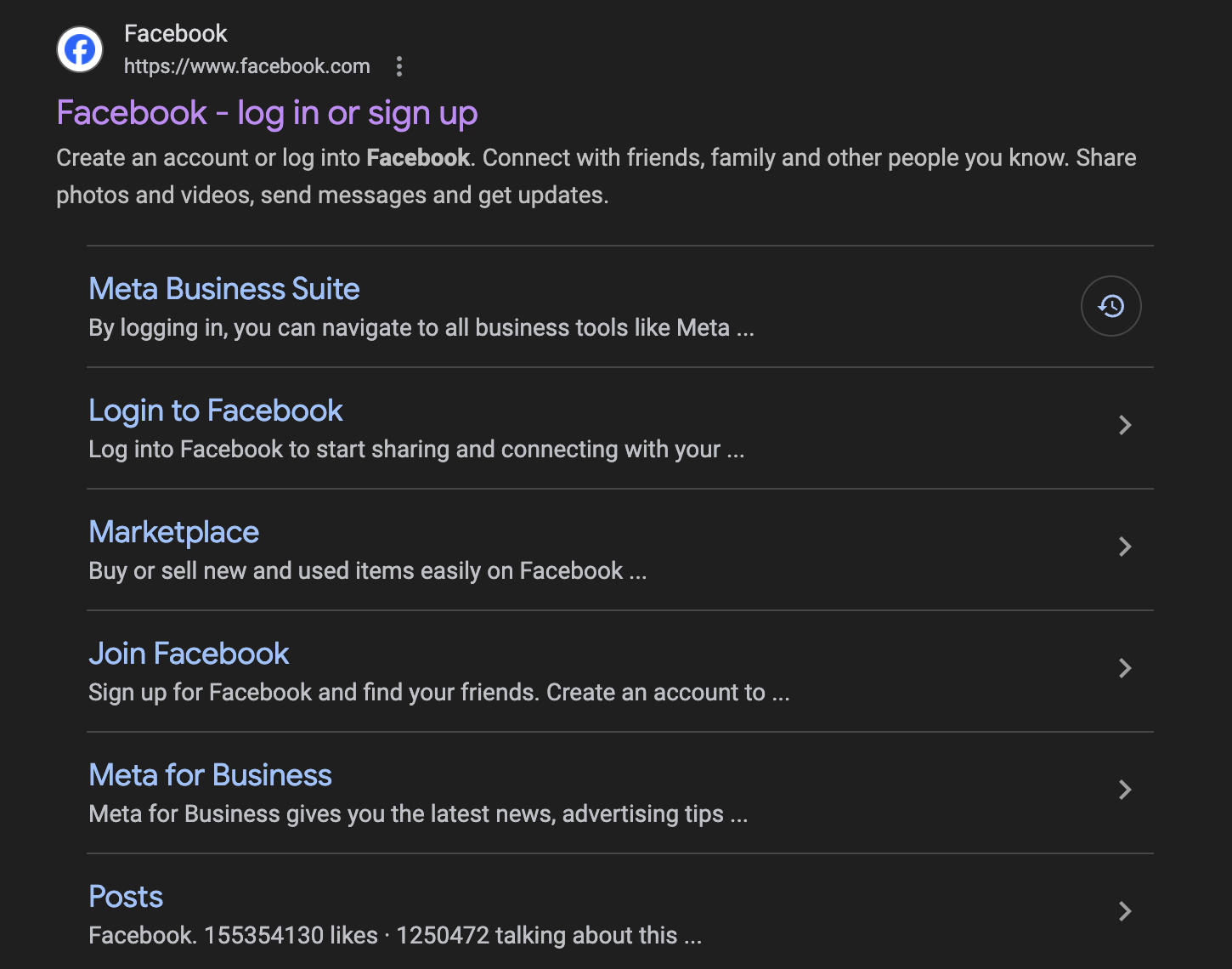
Go here to Sign up:
facebook.com
Continued . . .
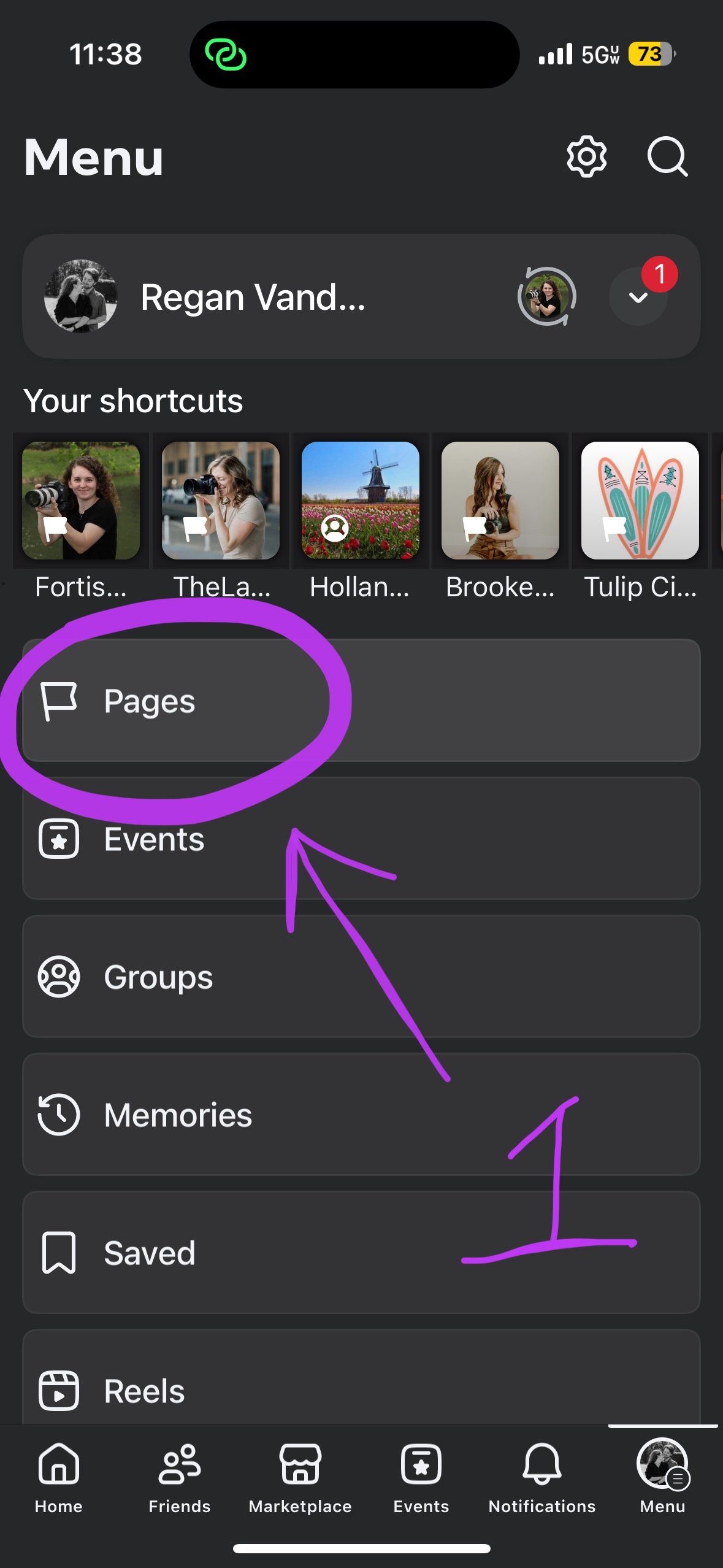
2. Next you’ll go to your Facebook profile settings and click on the Pages tab.
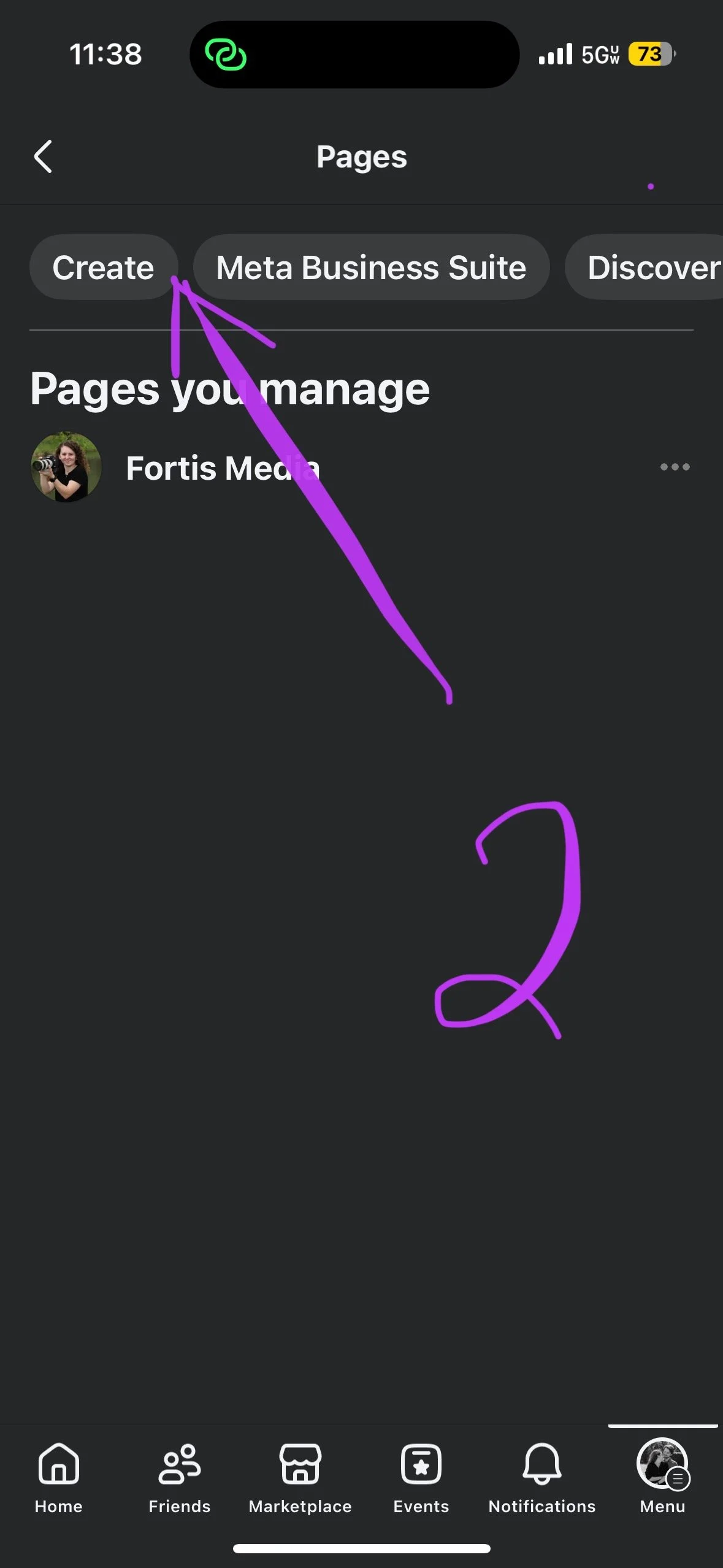
3. After that click the “Create” button.
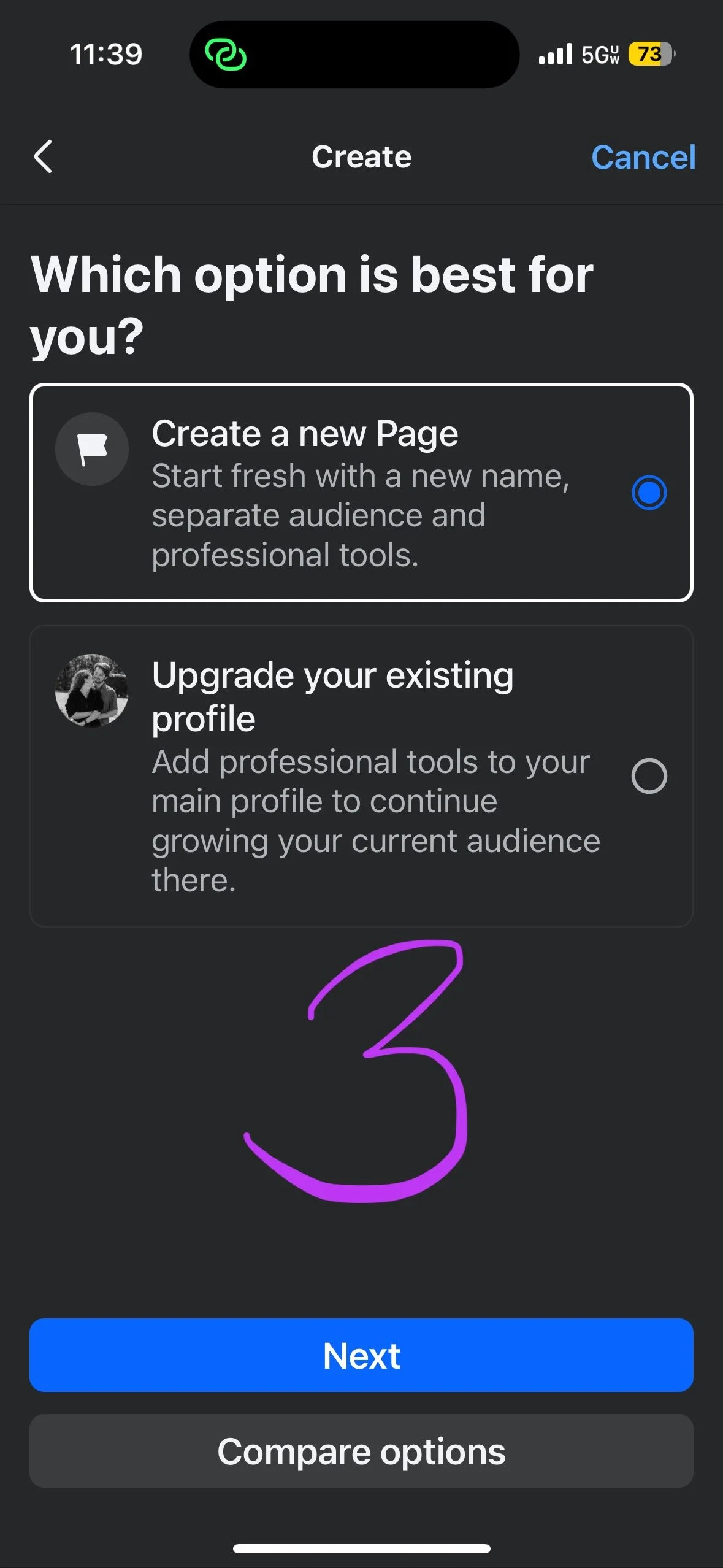
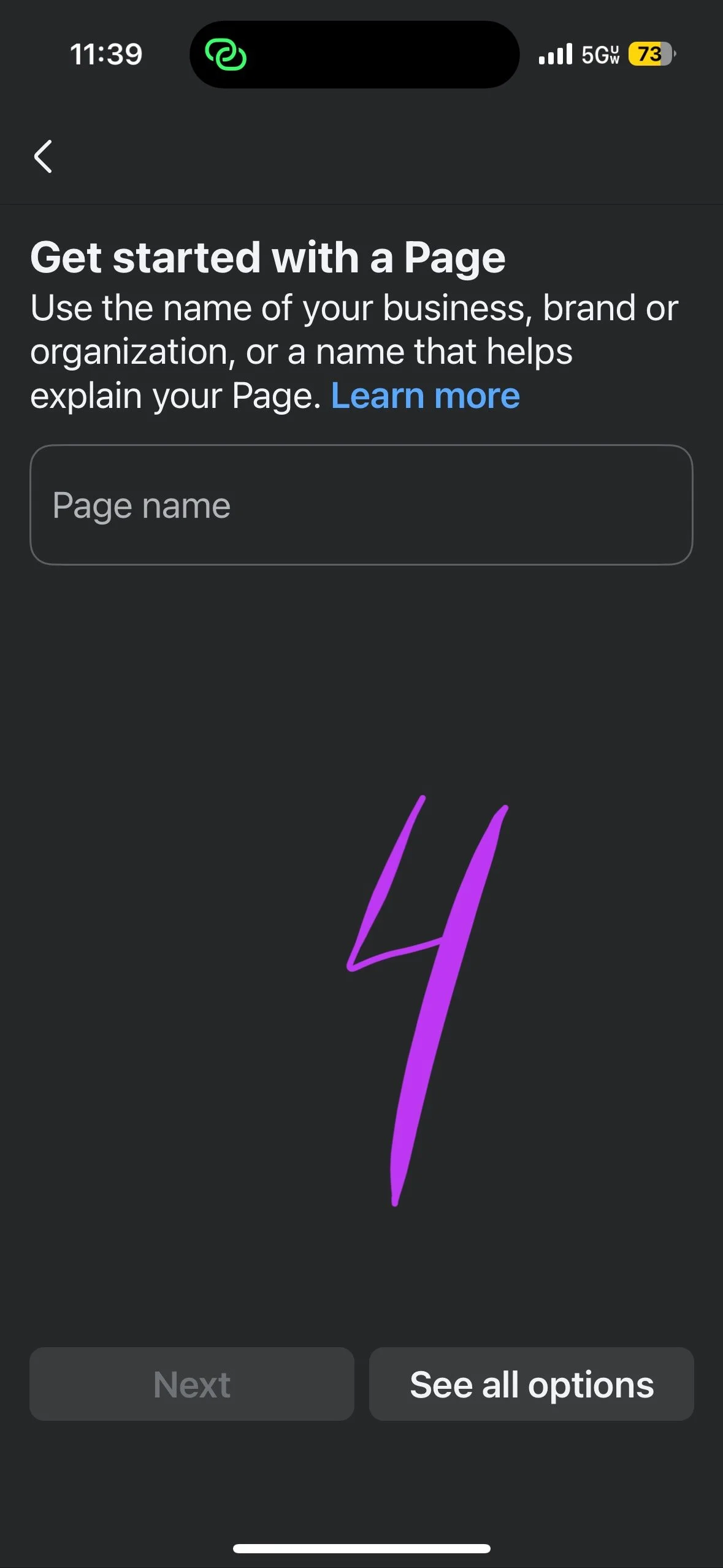
4. Click the appropriate option for your business, “Create a New Page” or “Upgrade your existing profile.” Note that you can invite your audience from your personal page to follow your business page later on. I recommend starting fresh with the “Create New Page” option. If you don’t want to “upgrade” your personal page and leave that as your personal page, just remember that you can also invite those people to follow you later on your newly made business page. I will show you how to invite those people to follow you, at the end of this blog post.
5. From this point on, you will be add a profile photo and a cover photo for your page, as well as add a bio, connect your other social media’s and your business website if you have one. Then once all that is set up you can start posting to your audience!
Here are some other tips and tricks for getting started on Facebook:
I recommend posting at the very minimum, 3 times a week so that Facebook sees your posting regularly and so that it starts pushing your content to your audience.
Remember to engage with your audience if they comment on your content.
Post a variety of content. If you stick to the 3 times a week guide, then do one video (reel) type post a week, one static post (a post of just word content + an image if you want), and then a post with multiple images and text content. This is what I tell my people in my Business Photo Membership! Creating a variety of content helps to engage your audience who have different content consumption preferences, and allows you to reach different audience demographics.
Now for how to get more followers . . . Obviously, the best way is to make sure you consistently post. But another quick and easy way is to invite your friends from your personal facebook to follow your business page. Here is how you do that!
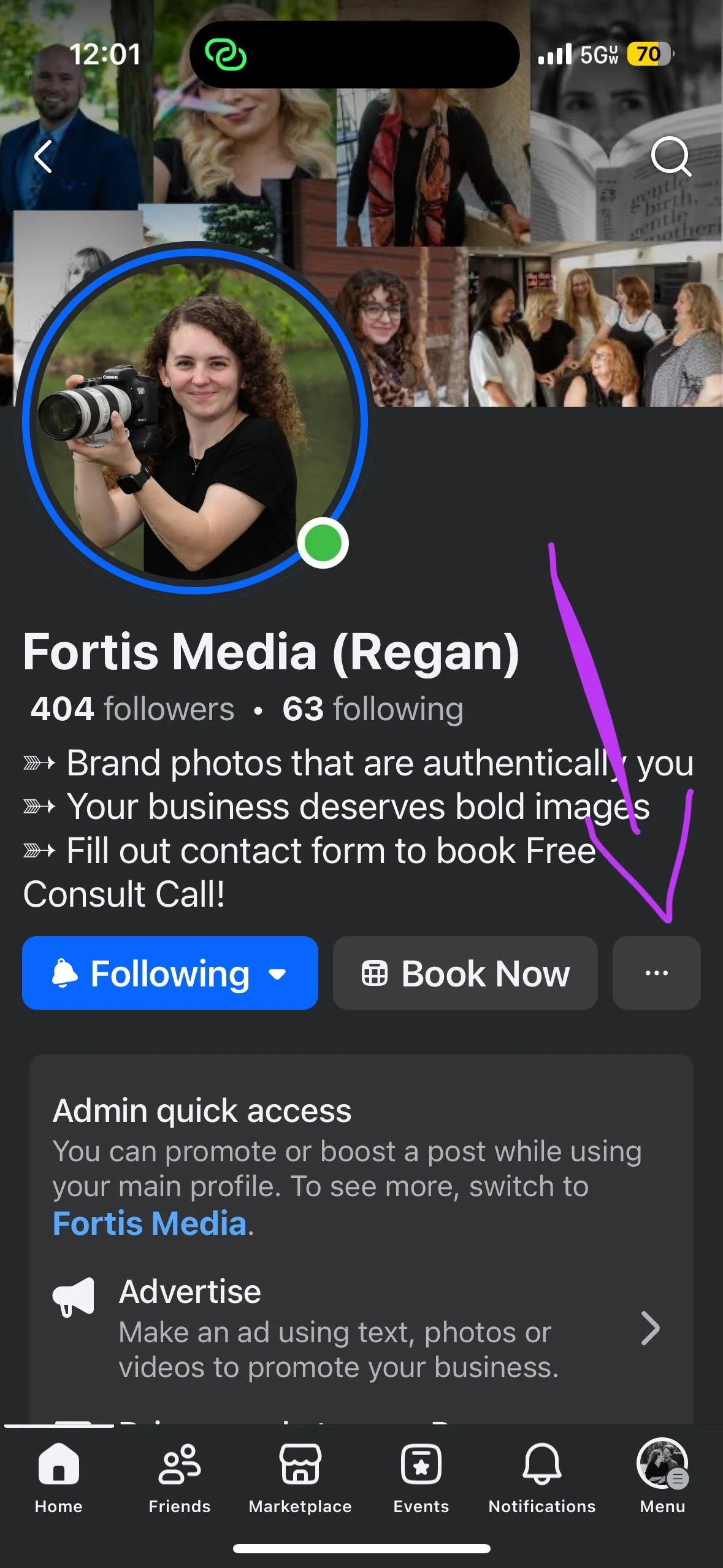
Start by heading to your personal profile. Go to the search bar and search your business name, and click on your page.
Click on the Three little dots on the far right under your bio.
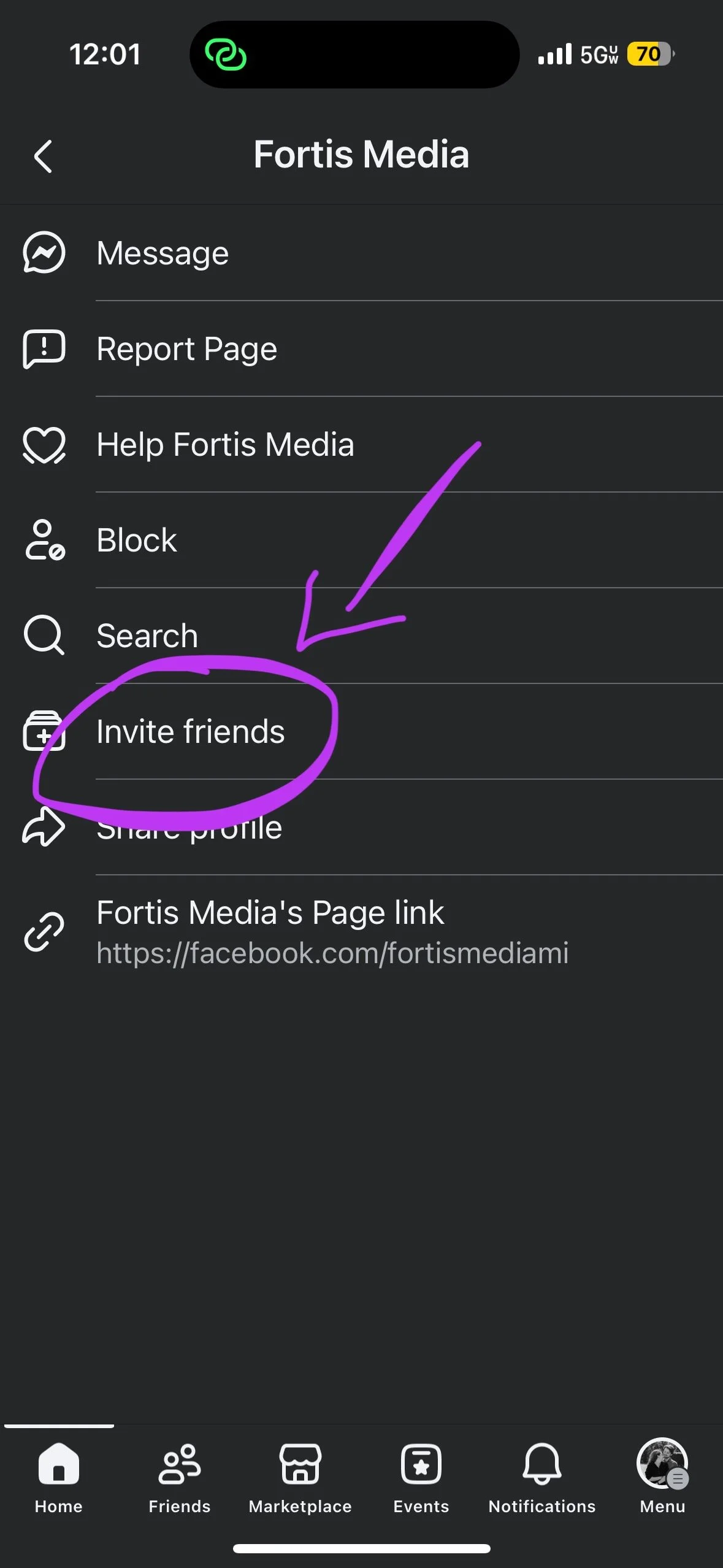
Click “Invite Friends”
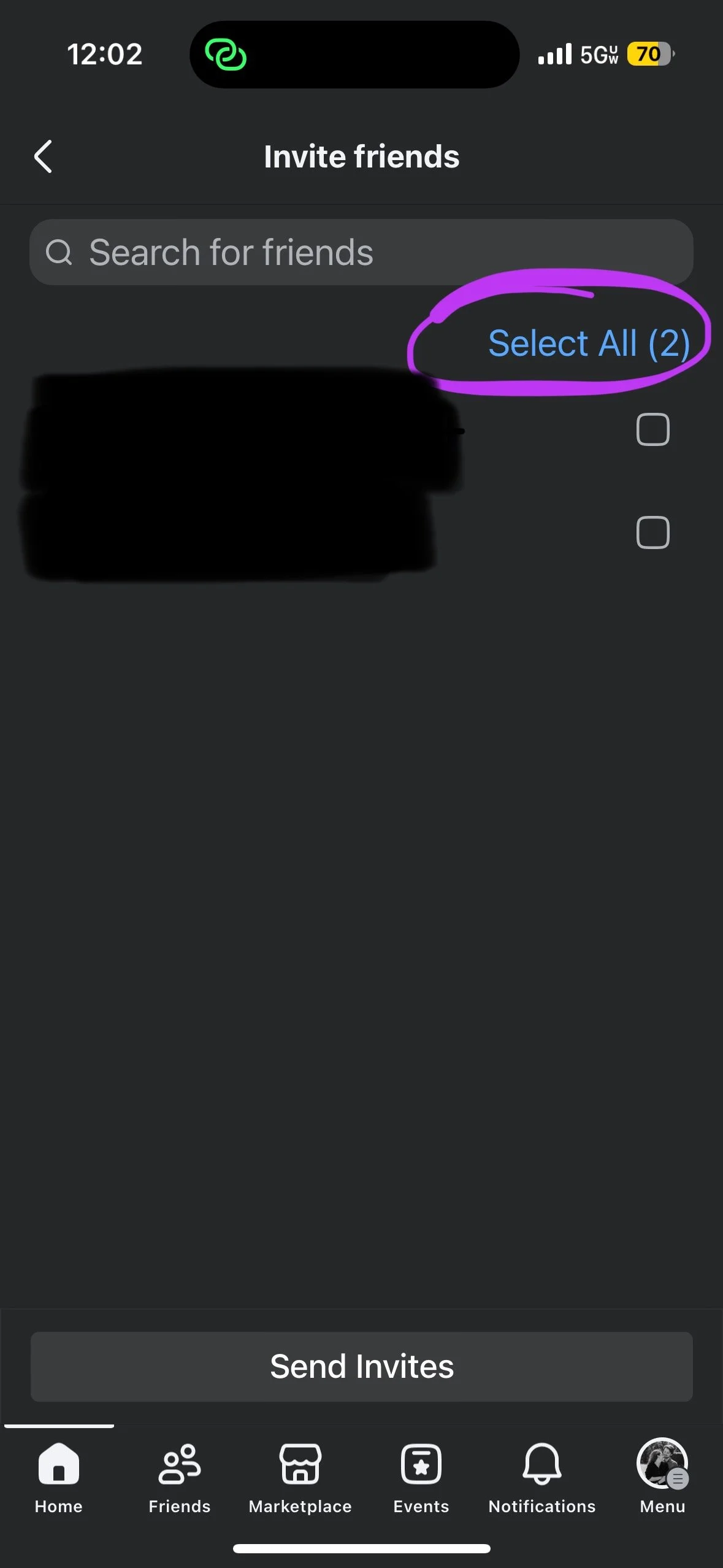
Click on the friends you want to invite individually or click “select all” and click the Send “Invites Button”
Once you have done this Facebook will automatically send out invites to your friends and family to follow your business page.
Another side note: Your friends and family can also invite their friends and family to follow your business page. They simply need to go to your business page and click those same three dots and the follow the same process listed above. Scroll further, to see a quick template of what you can post to your personal page to ask your friends and family to do this for you!
Template to ask your friends/family to share your page:
I have a HUGE but SMALL favor to ask 🙏
✨ Go to my page > “@ your page”
🔵 Go to the 3 little dots (on the side of page)
📨 Hit “Invite Friends”
🤝 Select "Invite All"
✅ Done
You’ve SUCCESSFULLY supported my business for $0.00 and less than 1 minute of your time.
📣 Thank you for supporting small and local businesses 📣
Copied but wanted to share as this is an amazing way to help a small business owners free of charge!
✨ I highly encourage my small business friends to copy this and use it! ✨
“If you know of anyone looking to get some updated photos, I would be grateful to have my name thrown in the ring!”
*Replace the last sentence here to something that makes sense with the field of work you are in.
In Summary . . .
This blog walks through why having a Facebook Business Page in 2026 still matters and how it helps you stay visible to the people already looking for your services. We share simple, step by step guidance for setting up your page, showing up consistently, and creating a mix of content that connects with your audience. We also share easy, practical ways to grow your following by inviting your existing network to support your business online.